Ways to use MiniPAM
MiniPAM supports three use cases. Start with the smallest one that covers what you need and add the others later.
| Use case | Workspace feature | What it adds |
|---|---|---|
| Basic use | Inventory | Networks, addresses, devices, and services, recorded by hand |
| Dynamic configuration | Templates | Configuration files and reports generated from the inventory |
| Dynamic inventory | Discovery | Agents that scan your networks and suggest inventory changes |
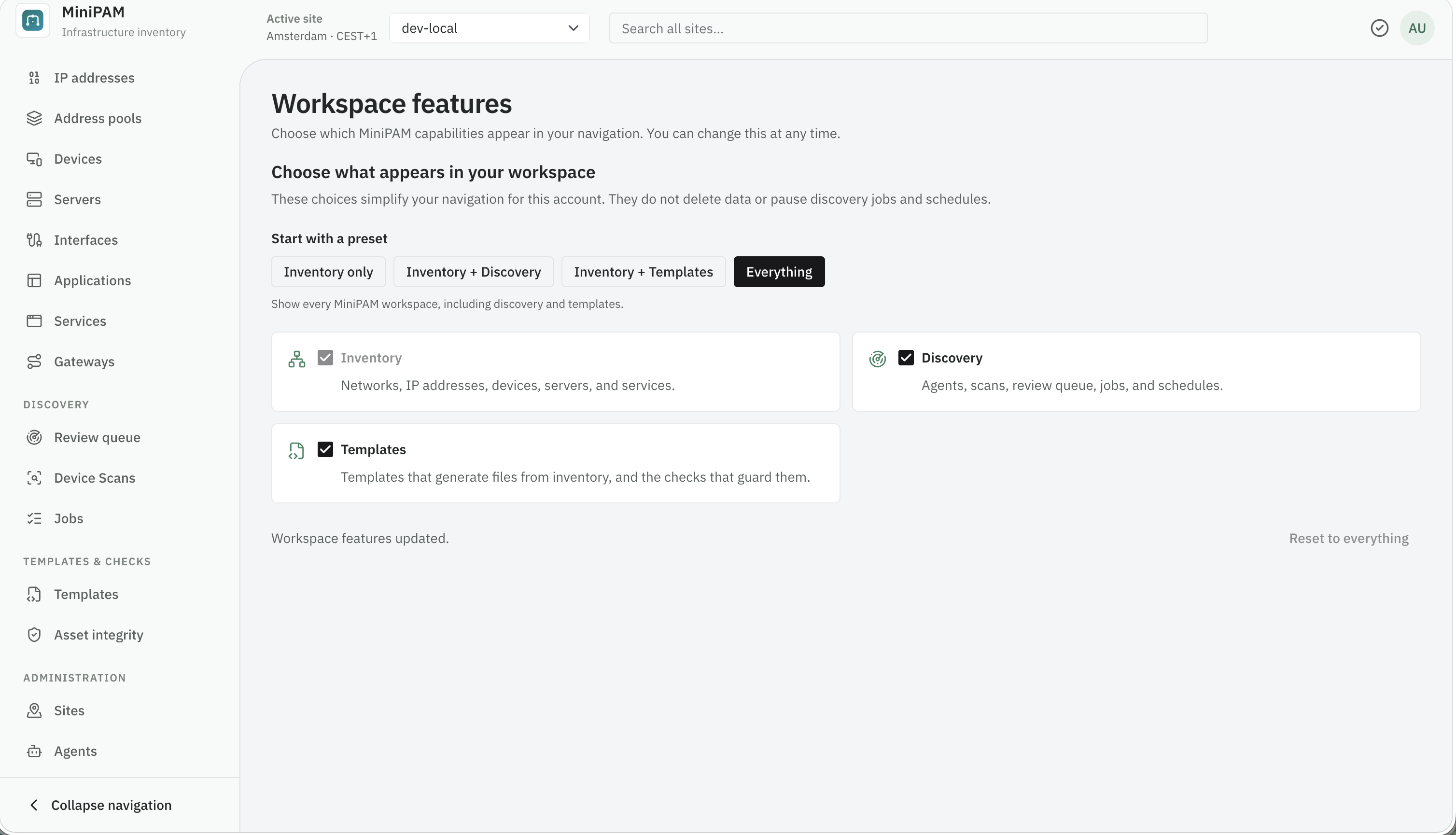
Inventory is always on. Templates and Discovery are options under Workspace features: MiniPAM asks on your first sign-in, and you can change them later from the user menu at the top right. Each user chooses their own, and the choice only changes which pages appear in that user's navigation. It does not delete data or pause discovery jobs and schedules, so you can switch at any time.
Basic use
Workspace feature: Inventory, with nothing else enabled. You record networks, addresses, devices, and services by hand. There are no templates to write and no agents to install.
This suits you if you want one dependable record to replace a spreadsheet or a wiki page, or if you want to get to know MiniPAM before adding anything else.
The navigation shows Overview, Inventory, and Administration.
Read next:
- Sites, networks, and addresses
- Devices, servers, and interfaces
- Applications, services, and gateways
Dynamic configuration
Workspace feature: Templates. MiniPAM generates configuration files and reports from the inventory, such
as nginx.conf or traefik.yml. Checks guard each file: when a check fails, the new file is not published
and the last approved one keeps being served.
This suits you if other systems should follow the inventory, so that you change a record once instead of editing several files by hand.
The navigation gains Templates & checks, with Templates and Asset integrity.
Read next:
Dynamic inventory
Workspace feature: Discovery. Agents on your networks scan for devices, addresses, and open ports, and keep the inventory's state current. Agents never write to the inventory directly: MiniPAM turns what they see into suggestions, and you review them before anything changes.
This suits you if devices come and go more often than you can track by hand, or if you want to fill a new inventory from what is already on the network.
The navigation gains Discovery, with Review queue, Device Scans, and Jobs. Admins also get Administration → Agents.
Read next:
The two dynamic use cases work well together: agents keep the inventory current, and templates turn that inventory into files. Both build on the same inventory, so you can add either one first.