Templates
A template turns your inventory into a file: an nginx.conf, a Traefik route file, a DNS zone, a Markdown
report. Templates are written in Jinja, can only read inventory, and never change it.
The flow is:
- Write the template and preview it against your current inventory.
- Generate an output: a frozen copy of the rendered file.
- Approve the output. It is now the published file.
- The system that needs the file downloads it from a stable link.
Templates need the Templates workspace feature.
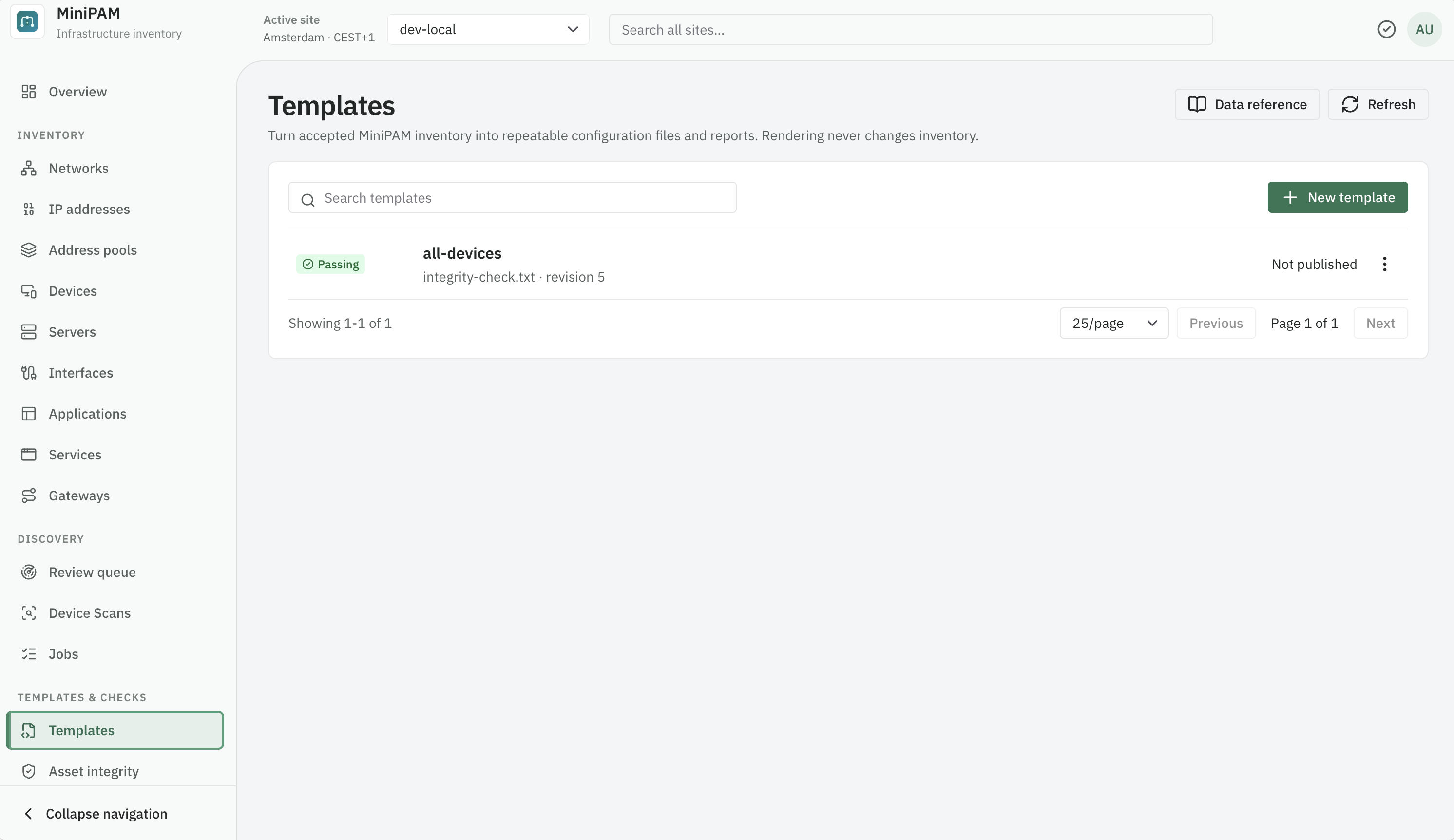
Create a template
- Open Templates & checks → Templates and choose New template.
- Pick a starter: Device inventory, Nginx reverse proxy, Traefik dynamic configuration, or Readable inventory report. A starter fills in the source and a matching Output filename.
- Give it a name and confirm the Output filename, such as
nginx.conf. The filename decides the file type when it is downloaded. - Edit the source. The preview on the right updates when you pause typing. Render now (Ctrl+Enter / ⌘Enter) renders immediately. The Nginx and Traefik starters need the name of a gateway first; see Examples.
- Save template. Each save is a new revision.
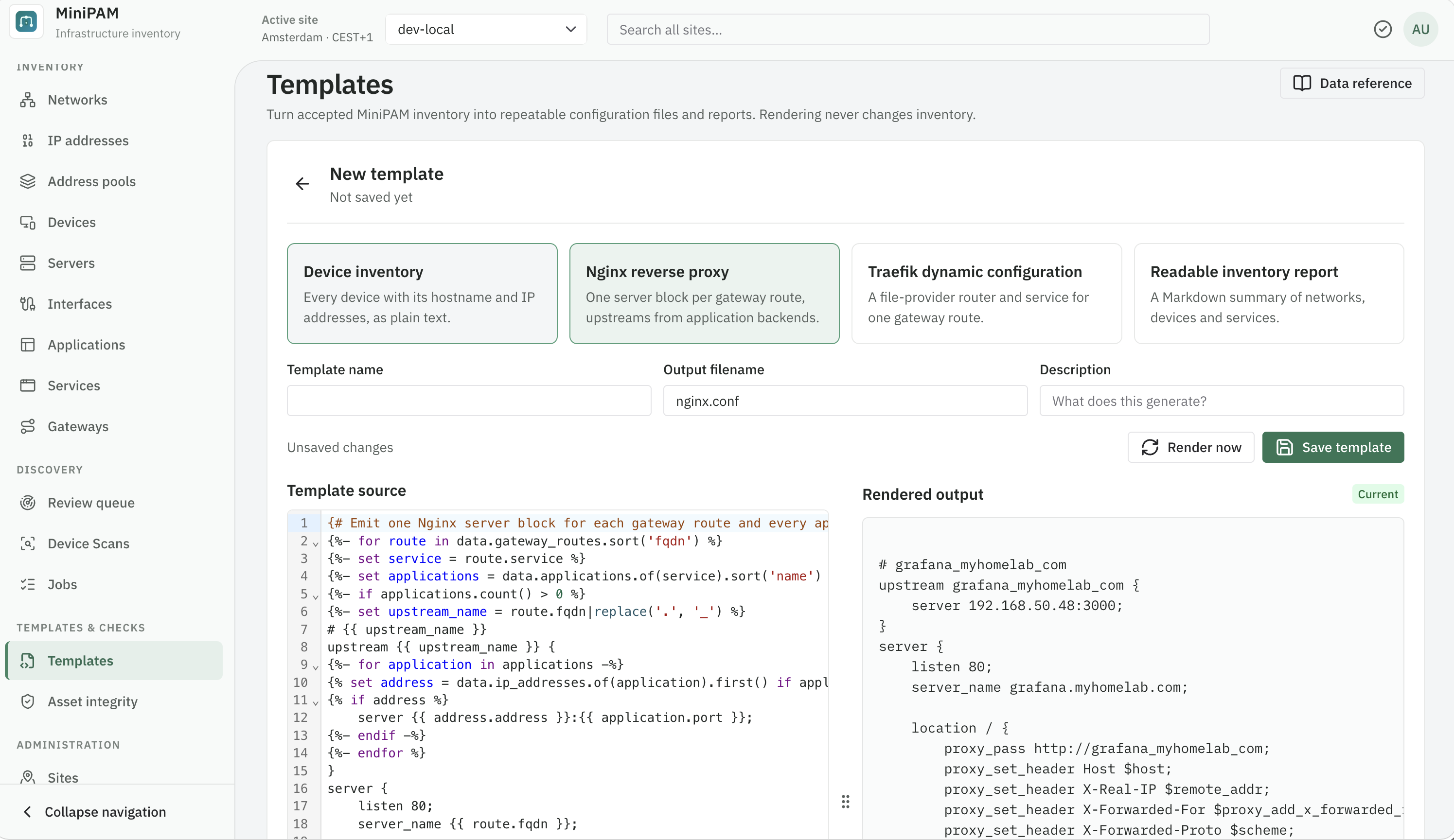
Data reference in the page header lists every collection, field, relationship, filter, and helper you can use in the version you run. The template language page covers the same ground with examples.
Publish an output
A preview is just a preview. To give another system a file:
- Choose Generate output on the Edit & preview tab (save your changes first).
- Open History & outputs, select the output, and review it.
- Choose Approve. It becomes the published output, and the previous one is superseded.
You can also Reject an output with a reason, Withdraw the published one, or use Restore this revision on an earlier revision of the source.
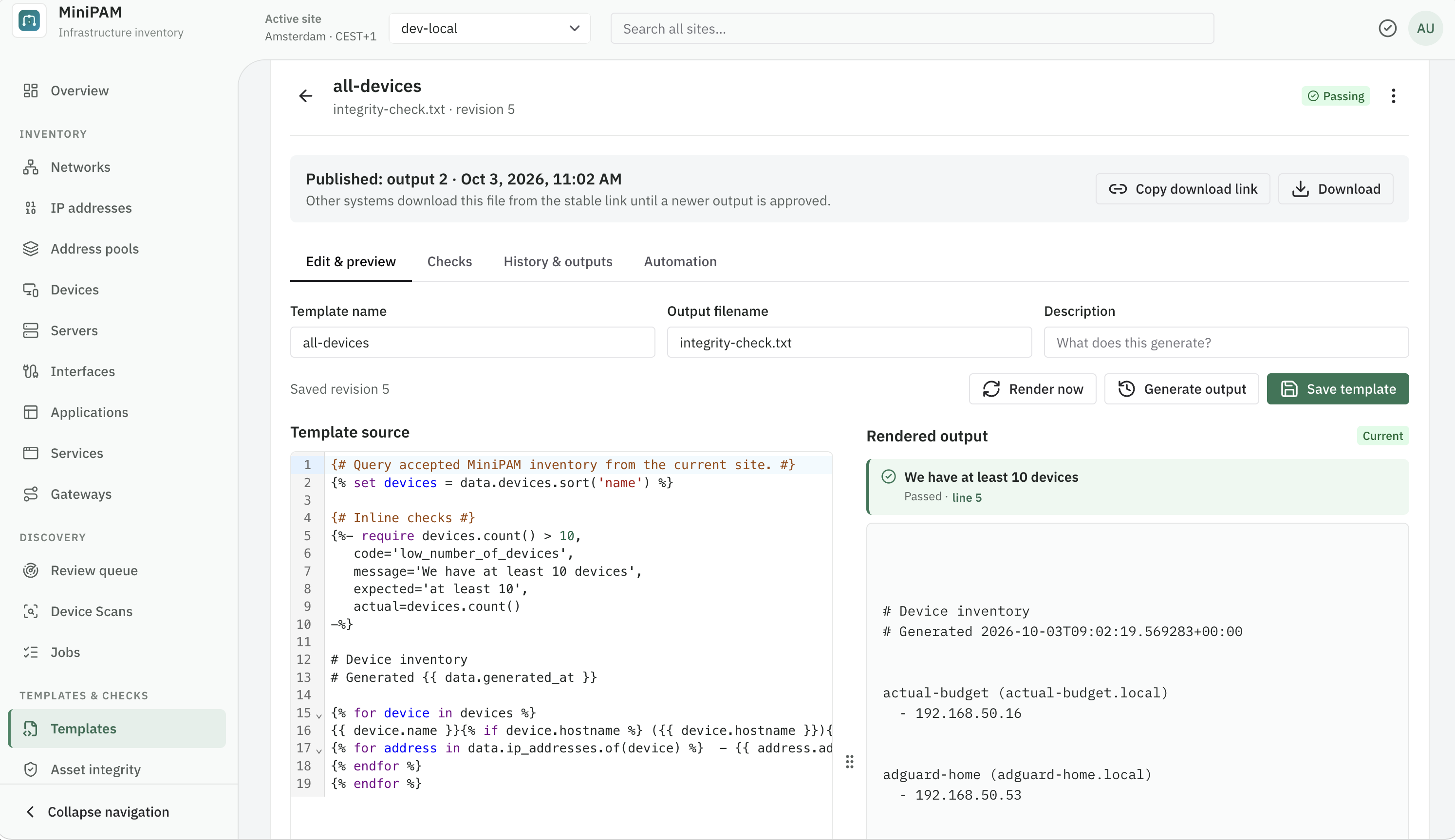
Copy download link copies the stable link. It always serves the currently published output, so the system that uses it never needs a new URL:
https://minipam.example.com/v1/api/configuration-templates/42/outputs/download
Fetch the published file from another system
Create an API key for a viewer user, then fetch the file. This example updates an Nginx
include and reloads Nginx only when the file changed and passes nginx -t:
#!/bin/sh
set -eu
url="https://minipam.example.com/v1/api/configuration-templates/42/outputs/download"
target=/etc/nginx/conf.d/minipam.conf

curl -fsS -H "X-Minipam-Api-Key: $MINIPAM_API_KEY" -o "$target.new" "$url"
if ! cmp -s "$target.new" "$target"; then
  cp "$target" "$target.bak" 2>/dev/null || true
  mv "$target.new" "$target"
  nginx -t && nginx -s reload || { mv "$target.bak" "$target"; exit 1; }
else
  rm "$target.new"
fi
Run it from cron or a systemd timer. MiniPAM never pushes files anywhere; the consumer pulls.
Guard the output
Add {% require %} lines to a template to stop a bad file from being published. If a requirement fails, the
output is blocked: it is not published, and the last approved output keeps being served.
{% set routes = data.gateway_routes %}
{% require routes.count() > 0,
   code='routes_present',
   message='At least one gateway route must exist',
   expected='one or more',
   actual=routes.count() %}
{% warn %} reports a problem without blocking. The preview shows the result of each require and warn as
you edit. Shared checks are not part of the preview: to run every guard, use Run checks on the template's
Checks tab, where you can also link shared checks. See
Checks.
Automate
The Automation tab generates outputs for you:
- Run on a schedule: a fixed interval (1 minute to 365 days) or a cron expression, with a time zone.
- Run after inventory changes: after the first change, wait for a coalescing window (1 minute to 24 hours), then generate once.
Then choose what happens to a passing output:
- Keep for review: it waits in History & outputs for you to approve.
- Publish automatically when every requirement and check passes: it replaces the published file straight
away. This needs at least one guard (a
requirein the template or a linked check).
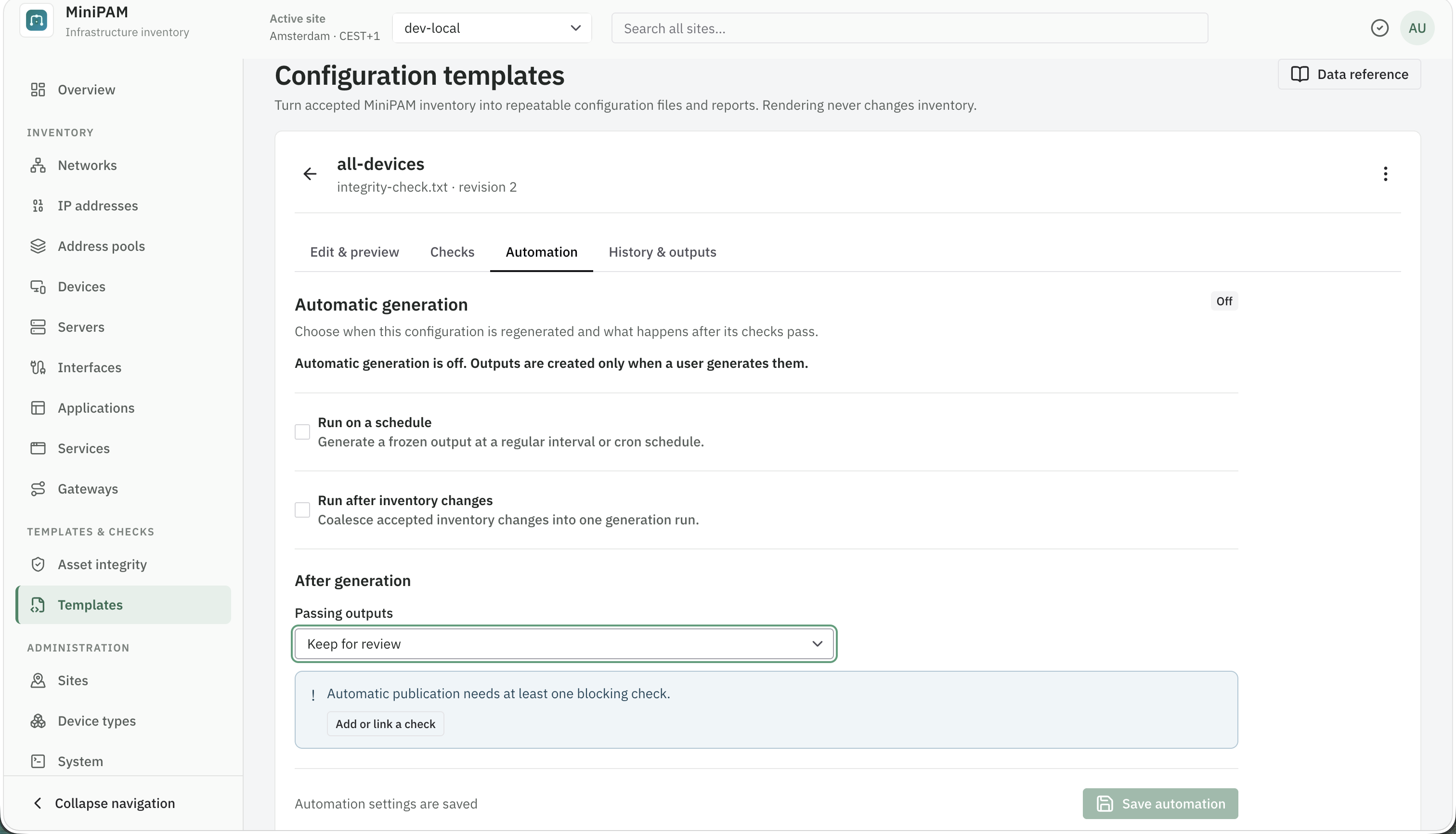
Start with Keep for review, check a few outputs with the target tool, and only then switch to automatic publication.
Examples
The Nginx reverse proxy and Traefik dynamic configuration starters each generate the file for one gateway. Both work the same way:
-
Set the gateway's name, as shown on the Gateways page, on the line marked
EDIT THISnear the top:{%- set gateway_name = 'nginx-lan' %}For several gateways, create one template per gateway.
-
Only that gateway's routes are rendered, sorted by FQDN, then path.
-
The backends of a route are the applications that provide its service, all of them as equals. For each one the starter uses its Bind IP when it is set to a specific address, else its first address. IPv6 addresses are written in brackets, such as
[fd00:10::20]:8096. -
A route whose service has no application with an address is skipped. If no route is left, the file says so in a comment.
-
Upstream, router, and service names come from the FQDN and path, so each route gets a unique name:
grafana.home.lanwith/apibecomesgrafana_home_lan_apiin Nginx andgrafana-home-lan-apiin Traefik. -
Neither starter writes TLS settings, because routes don't record them. Add them to your copy of the template or configure them in the proxy.
Example: a web app behind a reverse proxy builds the inventory for both starters and shows the files they generate.
Readable inventory report
# {{ data.site.name }} inventory report

Generated: {{ data.generated_at }}
Networks: {{ data.networks.count() }}
Devices: {{ data.devices.count() }}
Services: {{ data.services.count() }}

## Devices
{% for device in data.devices.sort('name') %}
### {{ device.name }}
{% if device.hostname %}- Hostname: {{ device.hostname }}
{% endif %}- Type: {{ device.device_type.name if device.device_type else 'Unclassified' }}
{% for address in data.ip_addresses.of(device) %}- Address: {{ address.address }}
{% endfor %}{% endfor %}
## Services
{% for service in data.services.sort('name') %}
- **{{ service.name }}**{% if service.category %} ({{ service.category }}){% endif %}
{% endfor %}
Limits
Templates run in a sandbox with limits on time, queries, records, and output size (2 MiB). A template that
hits a limit fails with a message saying which one. Narrow it with filter() and limit(), and reuse queries
with {% set %}. See Limits.