Applications, services, and gateways
MiniPAM keeps three ideas apart that usually end up squashed into one spreadsheet cell:
| Record | Example | Answers |
|---|---|---|
| Application | Grafana, HTTP on TCP 3000 on grafana-vm | What is listening, and where? |
| Service | Grafana | What do people use? |
| Gateway route | grafana.home.lan on gateway nginx-lan | How do people reach it? |
- An application is something listening: one program on one port, on one device or IP address. Every copy of it is its own record, called an instance.
- A service is the thing people name. It points at the application instances that serve it.
- A gateway route is how people reach the service: a hostname and path on a reverse proxy.
Keeping them apart means the service name and URL stay the same when the workload moves to another machine, and a template can turn the three into reverse-proxy configuration. Example: a web app behind a reverse proxy walks through all three and answers the common modeling questions.
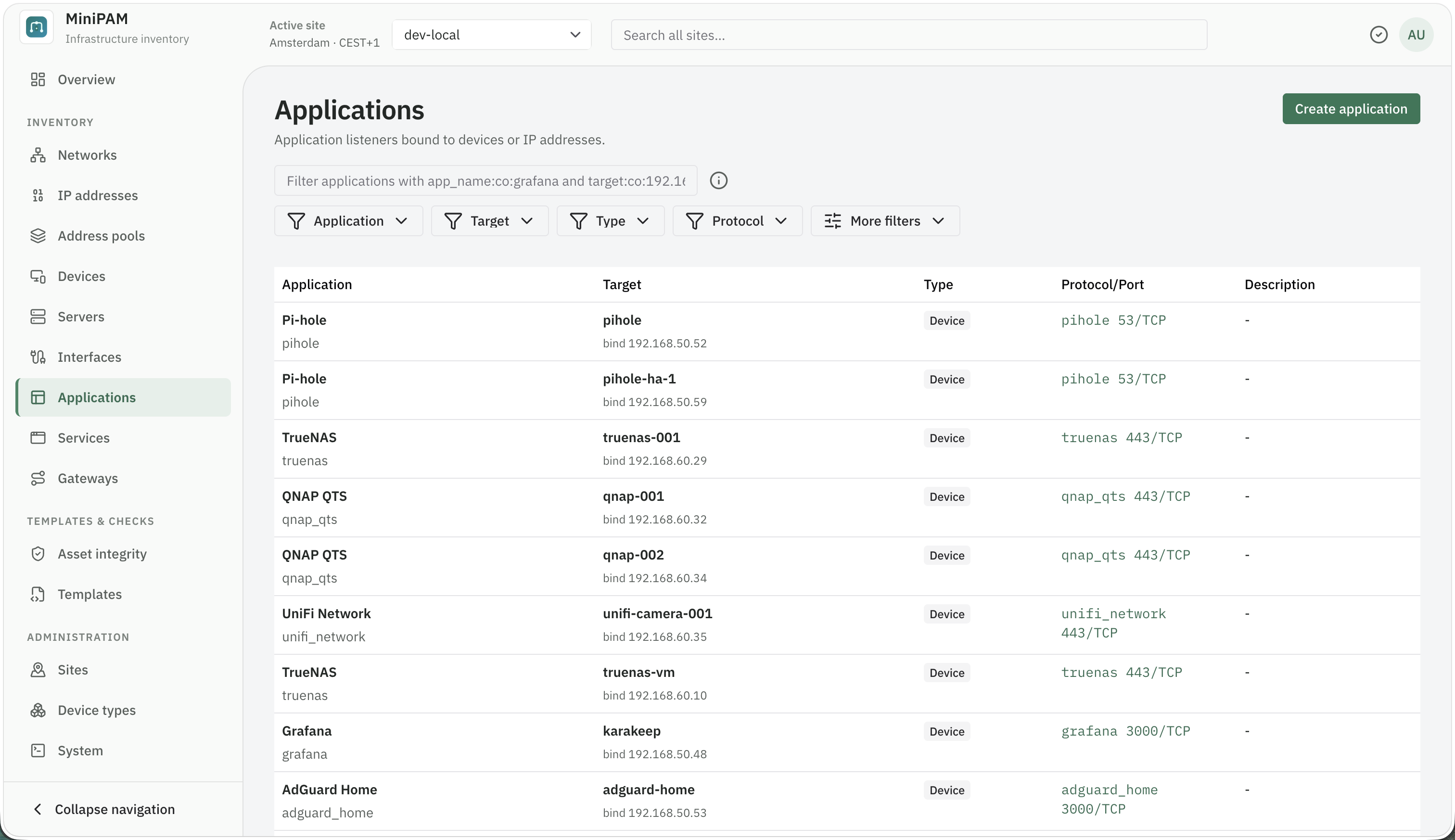
Applications
An application instance is a concrete listener. Create it under Inventory → Applications with Create application, or while you add one to a service under Served by: search for it, and when nothing matches, choose Create an application, then Create and use.
The one field that needs a decision is Runs on:
- Device: the usual choice. The application listens on the device, and its addresses are the device's interface addresses. This covers a container that publishes a port on its host: record it on the host.
- IP address: when the listener has an address of its own that belongs to no device you record, such as a container with its own address on a macvlan network, or a floating address.
Fill in Listens on only when a device-bound application listens on one specific address; MiniPAM then uses that address instead of every interface address.
Discovery can suggest applications from open ports, but you decide what they are and whether they belong.
The Applications page groups instances that share the same name, protocol, port, and transport into one row, and the Instances column says how many there are. Expand a row to see where each instance runs. The grouping is only a view: a service links to individual instances, and two instances in one row are not a cluster or a failover pair.
Services
A service is the thing people use, by the name they know it: "Grafana", "DNS", "Home Assistant". Create it
under Inventory → Services with Create service. Besides the name, give it a Protocol such as http
or dns, an optional Category, and its Main address: The primary application when people connect
to the application directly, A gateway route when they go through a route.
Served by
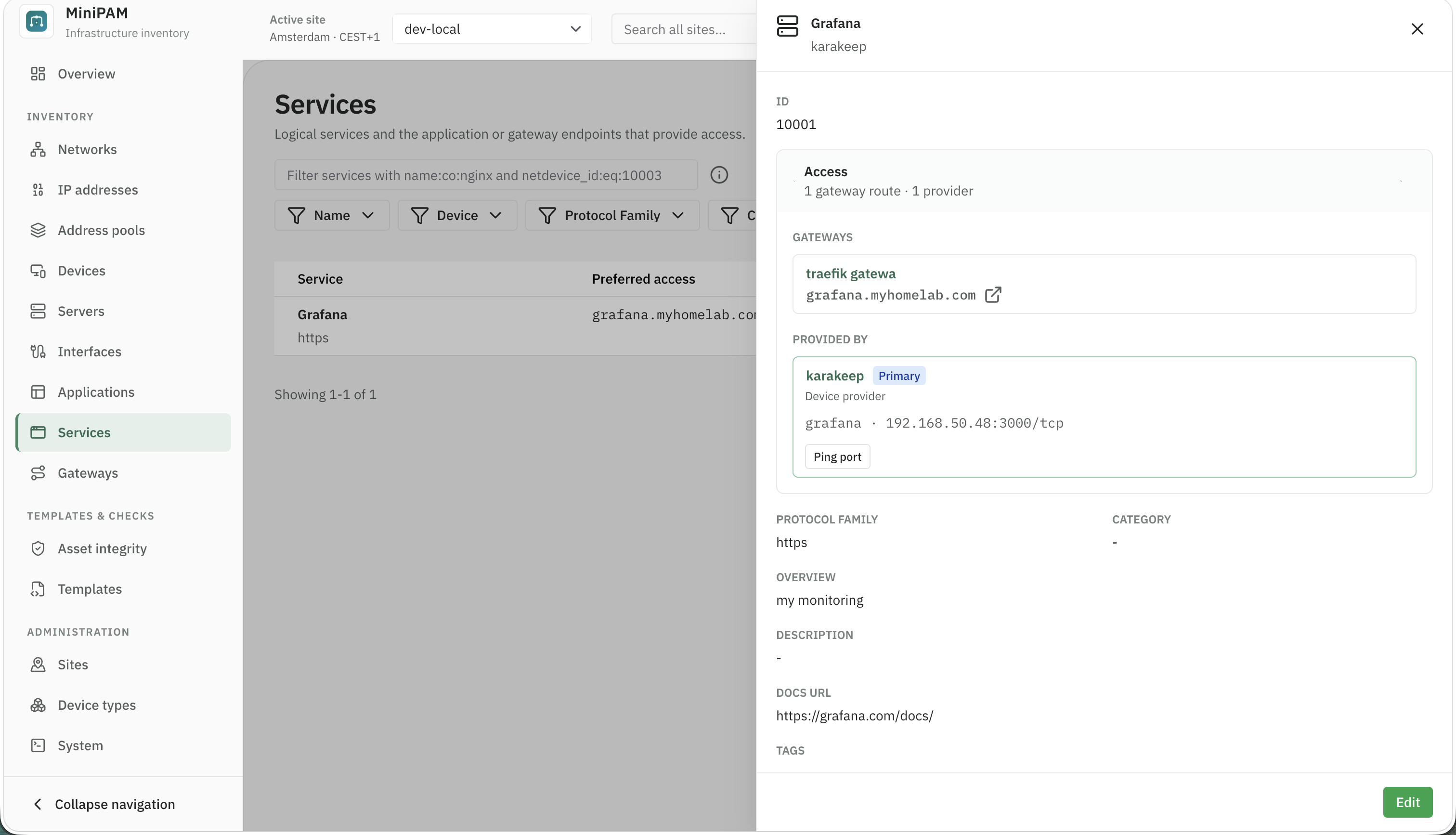
A service is served by application instances: any number of them, and one instance can serve several services. Add them under Served by with Add application; edit or remove one with the buttons on its line.
- Primary: the application you trust most for the service's address and port. The first one you add becomes primary; use Make primary on another to switch.
- Each has an optional Role label, such as
replicaorfailover, and a Priority number.
Role, priority, and primary are labels for people. MiniPAM does not check health, fail over, or balance traffic. Templates get every application serving a service as an equal backend and can't read the role, priority, or primary flag.
Check an application
A service's details have an Access section with the routes it is Reached via and the applications it is Served by. Editors can check an application from there, through an agent at the site: Ping IP for one that runs on an IP address, Ping port for one that runs on a device. "No probe target" means there is no address to check.
Gateways and routes
A gateway is a reverse proxy or another entry point, such as Traefik, Nginx, Caddy, or a load balancer. Create it under Inventory → Gateways with Create gateway. Its Name is how templates find it; the devices it runs on are optional.
A route connects a gateway to a service:
| Field | What to enter |
|---|---|
| Host | The hostname people use, such as grafana.home.lan. |
| Path | Optional, such as /api. Blank means /. |
| Priority | A number, 0 or higher, 100 by default. Lower numbers sort earlier. |
Add a route from either side:
- On the service: under Reached via, choose Add route, then choose the Gateway and enter the Host, Path, and Priority.
- On the gateway: edit it and, under routes to, choose Add route, then enter the Host, Path, Service, and Priority. Routes are saved with the gateway; a gateway with many routes shows ten at a time, with a filter.
A route records the hostname, path, and the service behind it. It does not record TLS or certificates, the scheme, the port the proxy listens on, entry points, or upstream settings. Route priority is stored and sorted, but MiniPAM gives it no other meaning. Your template decides all of that.
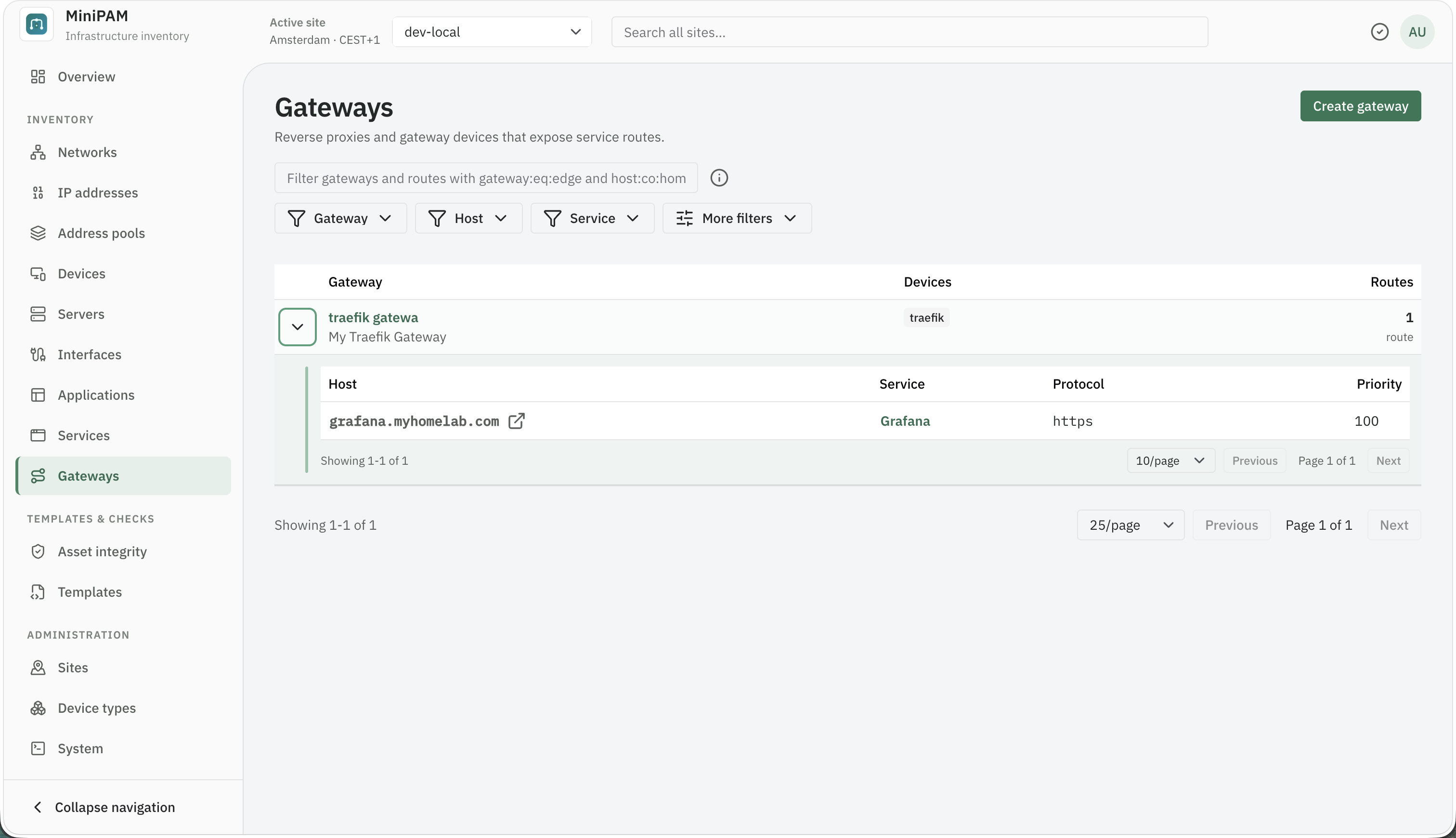
Gateways and routes are what templates usually read to generate reverse-proxy configuration. The Nginx and Traefik starters generate a file for one gateway; see the example.
When a workload moves
To move an instance to another machine, open it under Inventory → Applications, choose Edit, and pick another device (or another IP address) under Runs on. Its service links stay as they are. To switch between a device and an IP address target, create a new instance instead.
To run old and new side by side first:
- Add the application on its new device.
- Add it to the service under Served by, and Make primary if you track that.
- Delete the old instance when you are done. Deleting an instance also removes it from every service.
The service name and its routes stay as they are, and a template that generates your proxy configuration picks up the new address on its next run.