Search and filters
Global search
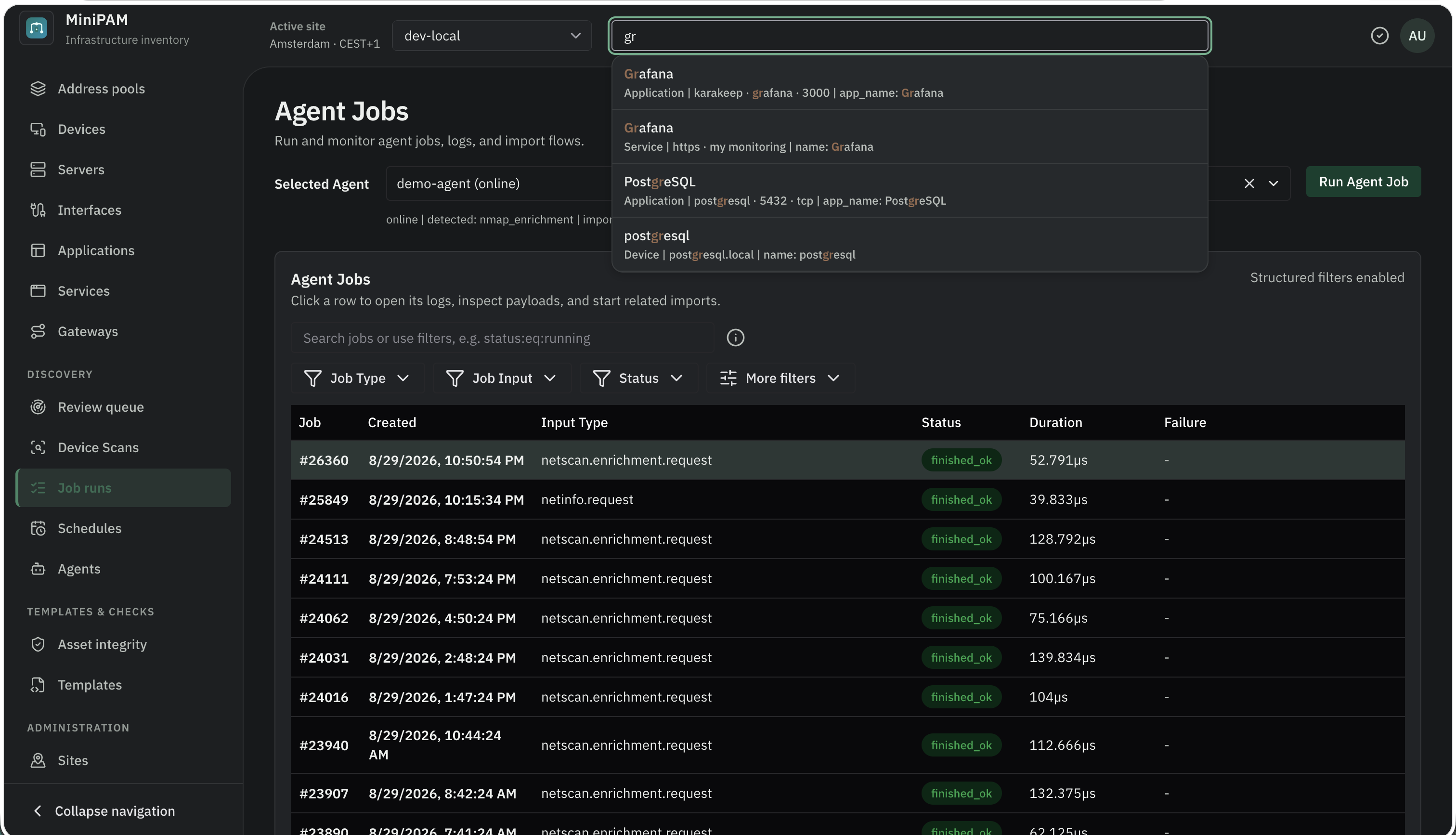
Press Ctrl+K (⌘K on macOS), or click Search all sites… in the header. Global search looks through
every site at once: sites, networks, devices and servers, interfaces, IP addresses, applications, services,
and gateways. It understands addresses and CIDRs, so 10.0.0.5 and 10.0.0.0/24 both work.
Opening a result switches the active site to the result's site.
Start with a collection name and a colon to search only that kind of record:
| Prefix | Searches |
|---|---|
ip: ips: addresses: | IP addresses |
device: devices: server: servers: | Devices and servers |
interface: nic: | Interfaces |
app: application: | Applications |
service: | Services |
gateway: | Gateways |
network: | Networks |
site: | Sites |
For example, ip: 192.168.1. or device: nas.
Structured filters on list pages
Every list page has a search bar. Plain words search the visible text. A key:operator:value term filters on
one field:
name:co:switch
status:eq:active and vlan_id:gt:10
hostname:sw:pve- backup
description:co:"rack 2"
| Operator | Meaning | Operator | Meaning |
|---|---|---|---|
eq | equals | ne | does not equal |
co | contains | nco | does not contain |
sw | starts with | ew | ends with |
gt | greater than | gte | greater than or equal |
lt | less than | lte | less than or equal |
Rules:
- Join filters with
and. Up to 5 filters per search. - Put values with spaces in double quotes.
- Filter on tags with
tag.<key>, for exampletag.role:eq:router. - Plain words can be mixed with filters; they search the remaining text.
- Not every field accepts every operator.
The ⓘ button next to the search bar lists the fields, operators, and examples for that page, and the bar autocompletes field names and operators as you type.
The same syntax works in the REST API (?filter=) and in templates (data.devices.filter('name:co:nas')),
where IP fields also accept in_cidr and not_in_cidr. See the
template language.