Checks
A check asks one question of your inventory and gives a verdict: "Does the edge router exist?", "Are all device names unique?", "Does every server have a hostname?". MiniPAM runs your checks after every inventory change and shows the result on one page.
Checks can also guard a template: when a guard fails, the template's new output is not published, and the last approved one keeps being served.
Open Templates & checks → Checks. Its Issues tab lists problems that break MiniPAM's built-in inventory rules, such as overlapping networks; editors see it. Custom checks and Template guards hold the checks you write.
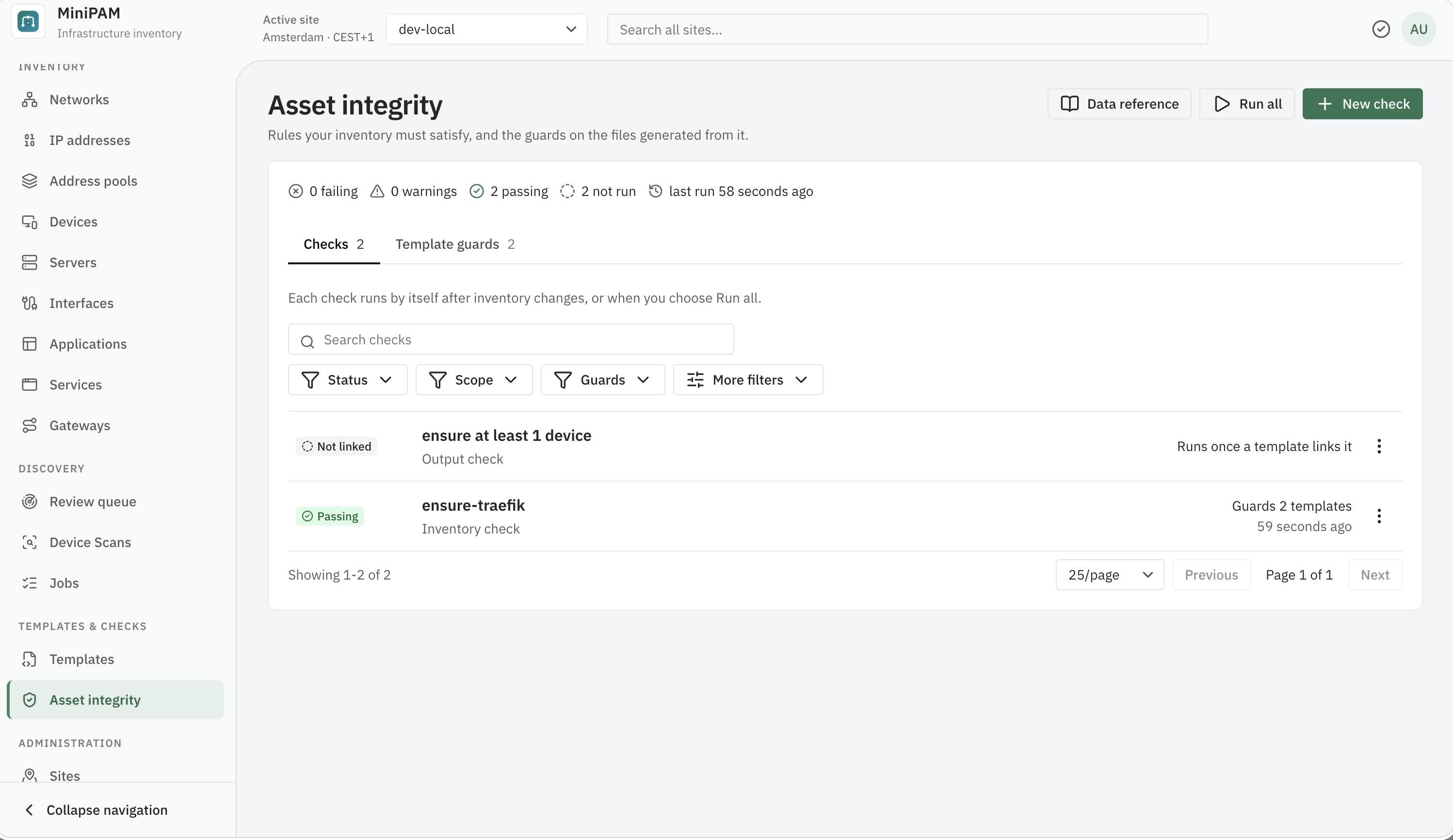
Read the page
The summary line counts what is failing, what has warnings, what passes, and what has not run yet, and says whether inventory has changed since checks last ran. Custom checks lists every check, failing first, with the first failure and the templates it guards. Template guards lists every template with its guard status:
| Status | Meaning |
|---|---|
| Passing | All requirements passed. |
| Warnings | Only warn lines failed. The output can still be published. |
| Failing | A require line failed. For a template this shows as Blocked. |
| Unprotected | The template has no guards at all. Add a require line or link a check. |
| Not run | No result yet. |
A result marked Edited since last run or Inventory changed since last run may be out of date. Run all runs every inventory check again.
Write a check
- Choose New check.
- Pick a starter: Required records exist, Values are unique, Required fields are present, or Blank inventory check.
- Edit the source. Test check (Ctrl+Enter / ⌘Enter) runs it against current inventory and shows each requirement's result.
- Save check. It runs straight away and appears in the list.
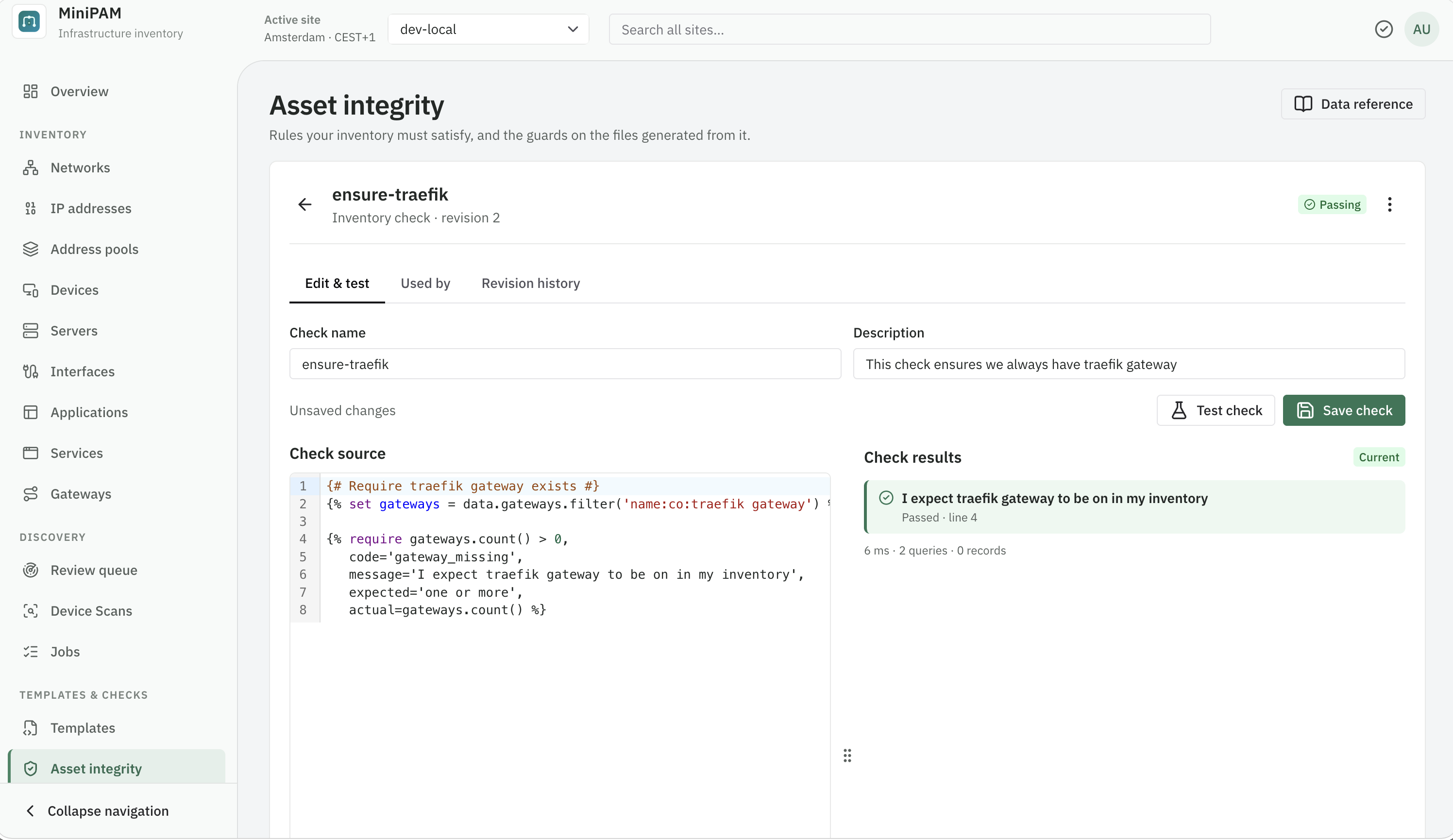
A check uses the same language as templates, plus two tags:
{% require condition, … %}must hold. If it fails, the check fails.{% warn condition, … %}should hold. If it fails, the check shows a warning.
Every check needs at least one require. Give each one a code, a message that tells the next person what
to fix, and optionally the expected and actual values:
{% set router = data.devices.filter('name:eq:edge-router') %}
{% require router.exists(),
   code='edge_router_present',
   message='The edge router must exist',
   expected='one device named edge-router',
   actual=router.count() %}
Several small, named requirements are easier to act on than one big condition.
Guard a template
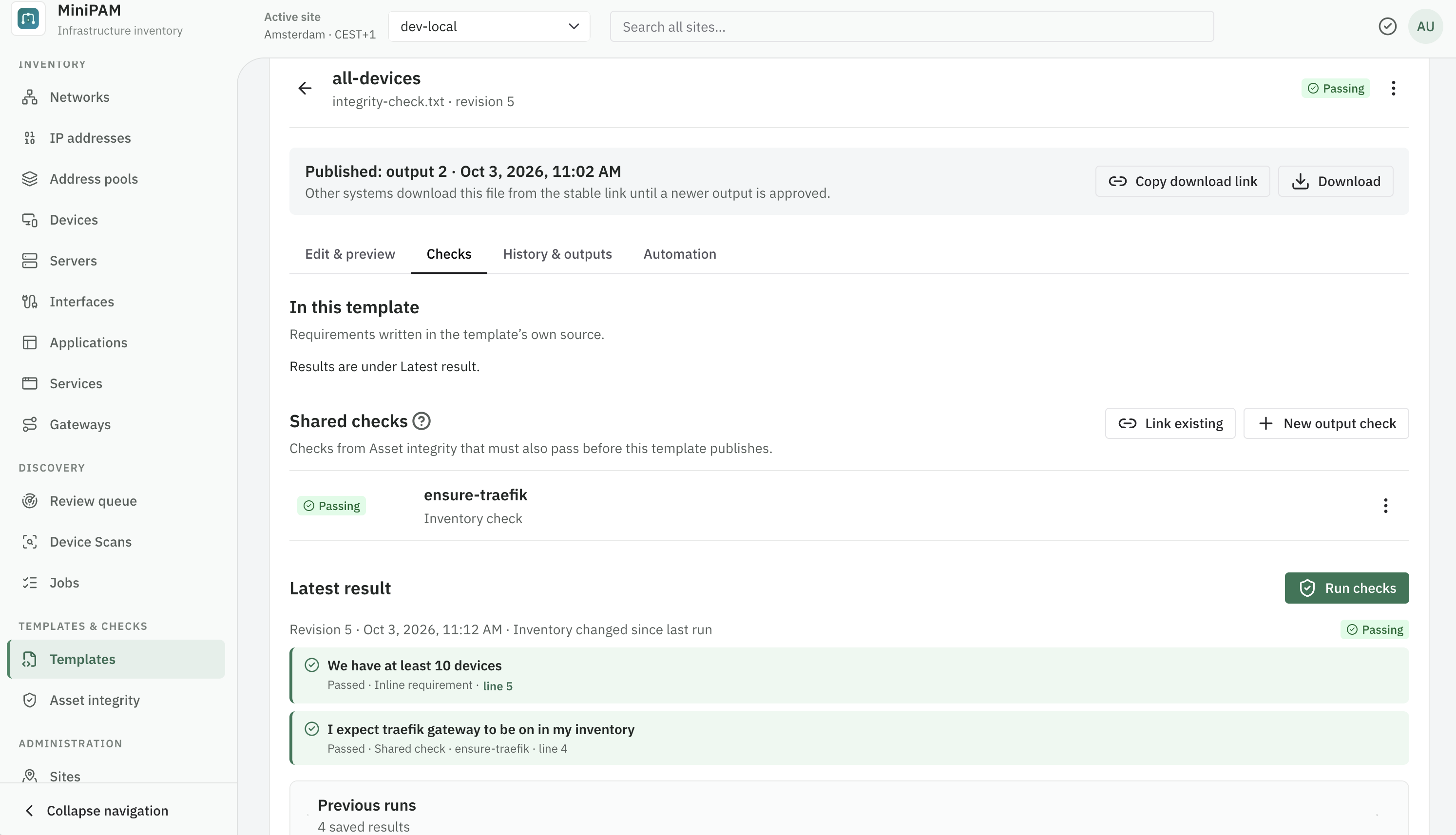
A template is guarded by require lines in its own source, by linked checks, or both. Open the template and
its Checks tab:
- In this template lists the template's own requirements.
- Shared checks lists linked checks. Link existing adds one of your checks; New output check writes a check that inspects the generated file.
- Run checks generates the file and runs every guard against it. Latest result lists each requirement's verdict and says whether it came from the template or a shared check.
Output checks
An output check reads the generated file through artifact: artifact.content, artifact.filename,
artifact.media_type, and artifact.size. Create one from the template it guards with New output check.
It is tested against that template's output, and Save & link check links it and takes you back.
{% require artifact.content|trim|length > 0,
   code='output_not_empty',
   message='The generated file must not be empty',
   expected='non-empty output',
   actual=artifact.size %}

{% require 'server_name' in artifact.content,
   code='nginx_server_name_present',
   message='The Nginx output must contain at least one server_name',
   expected='server_name' %}
Shared checks
A linked check always uses its latest saved version. When you edit a check that guards templates, MiniPAM first tests the change against each of them. If the change would make any fail, it names them and asks before saving. A check's Used by tab lists the templates it guards.
More examples
Require named services, and that Grafana still has something providing it:
{% for name in ['DNS', 'Grafana'] %}
{% set service = data.services.filter('name:eq:' ~ name) %}
{% require service.exists(),
   code='service_present',
   message=name ~ ' must be recorded as a service',
   expected='one service named ' ~ name,
   actual=service.count() %}
{% endfor %}

{% set grafana = data.services.filter('name:eq:Grafana').first() %}
{% if grafana %}
{% set providers = data.applications.of(grafana) %}
{% require providers.exists(),
   code='grafana_provider_present',
   message='Grafana must have at least one application providing it',
   expected='one or more applications',
   actual=providers.count() %}
{% endif %}
Every device needs a unique name and a hostname:
{% require is_unique(data.devices, 'name'),
   code='device_names_unique',
   message='Device names must be unique',
   actual=duplicate_values(data.devices, 'name') %}

{% warn all_present(data.devices, 'hostname'),
   code='hostnames_complete',
   message='Every device should have a hostname' %}
No address may sit outside the networks you manage:
{% for address in data.ip_addresses %}
{% require address.network,
   code='address_in_network',
   message=address.address ~ ' does not belong to any network',
   actual=address.address %}
{% endfor %}
A check only reports. It never changes inventory. See the template language for everything you can use in a check.