Create the first admin and inventory
Create the first admin
The first admin you create is the root admin: MiniPAM's built-in administrator. Nobody can disable or demote it, and you can always reset its password from the command line.
If you followed Quick start with Docker or Install from source, you already set a bootstrap token while you created the configuration file. Go straight to Sign in with the bootstrap token.
Otherwise, set a bootstrap token first, or create the root admin from the command line.
Set a bootstrap token
The bootstrap token is a one-time secret for creating the root admin from the browser. Generate one with
openssl rand -hex 32, set it as bootstrap-token in the
server configuration file, and restart the server.
Sign in with the bootstrap token
- Open MiniPAM. Because no admin exists and a bootstrap token is set, the login page shows Create initial admin. Fill in Bootstrap token, Admin username, Admin password (at least 8 characters), and Confirm password, then choose Create Admin. You are signed in straight away.
- Set
bootstrap-token: ""in the configuration file and restart the server.
The token is single-use. Once the root admin exists, MiniPAM rejects it and the form never comes back. Step 2 only removes it from the file so it does not linger.
From the command line
This needs no bootstrap token. You are prompted for the password. Replace <your-admin-login> with the login
name you want.
With Docker:
docker exec -it minipam python cli.py auth set-root --loginname <your-admin-login>
Without Docker:
cd app-server
../.venv/bin/python cli.py auth set-root --loginname <your-admin-login> --config config.local.yml
The same command also resets a forgotten password. It always acts on the root admin: if you pass a different
login name later, it renames the root admin to that name. Without --loginname, the name is root.
Choose workspace features
On first sign-in MiniPAM asks which parts of the product you want to see. Inventory is always on and covers basic use. Templates adds dynamic configuration and Discovery adds dynamic inventory; both start switched on. Ways to use MiniPAM describes each one.
Switch off what you don't need, then choose Save and continue. If you are unsure, switch both off; the rest of this page needs nothing else. You can change this at any time from your user menu under Workspace features. It only affects your navigation.
Record your first site
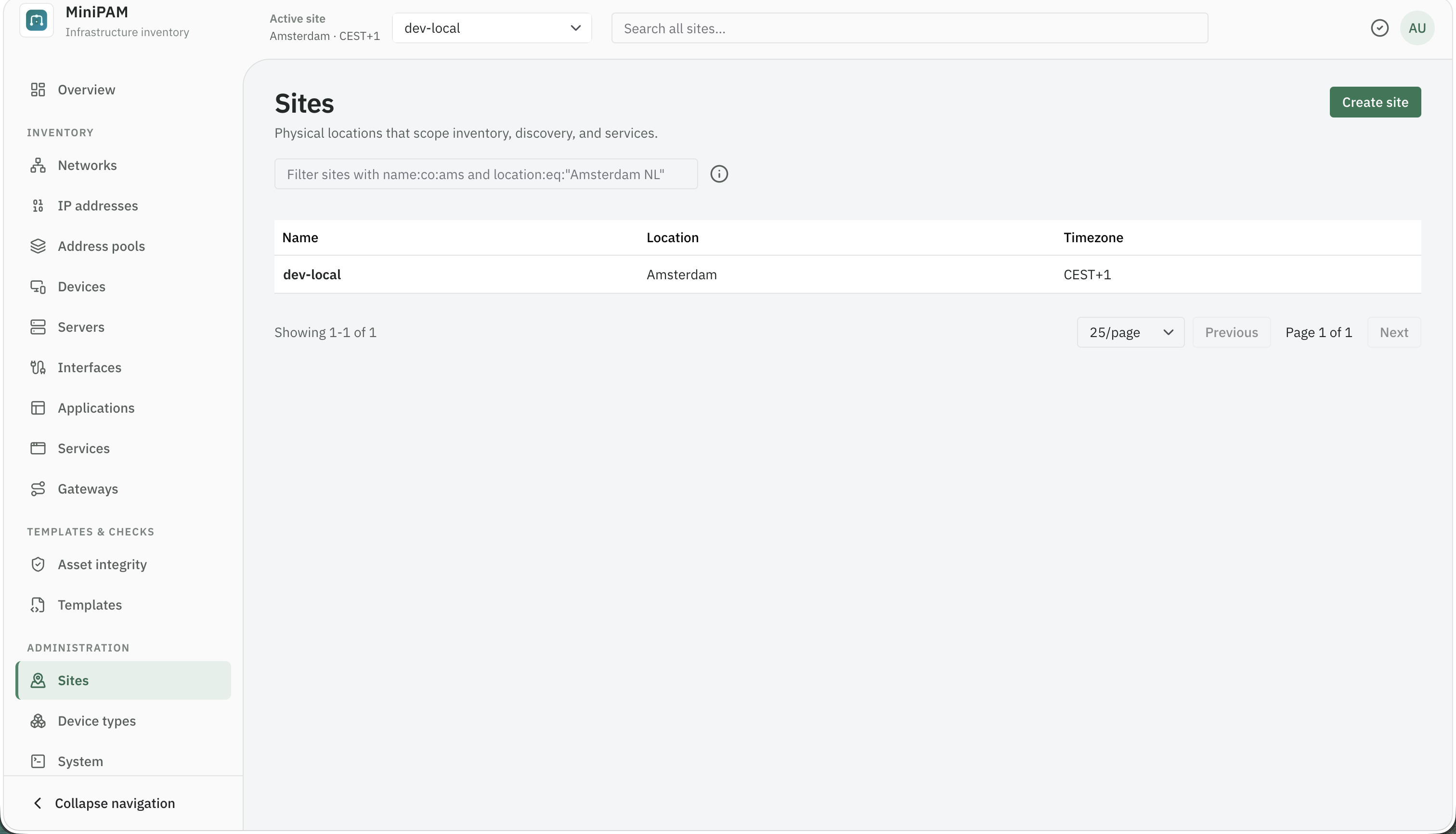
A site is a location or boundary, such as Home, Workshop, or Amsterdam office. Every network, device,
and agent belongs to one site, so two sites can safely reuse the same private ranges.
A fresh install has no site yet, so the overview and the inventory pages show Create your first site. Choose Go to Sites, or open Administration → Sites, and create one. Then pick it in the Active site selector at the top of the page; most pages show only the active site.
Add a network
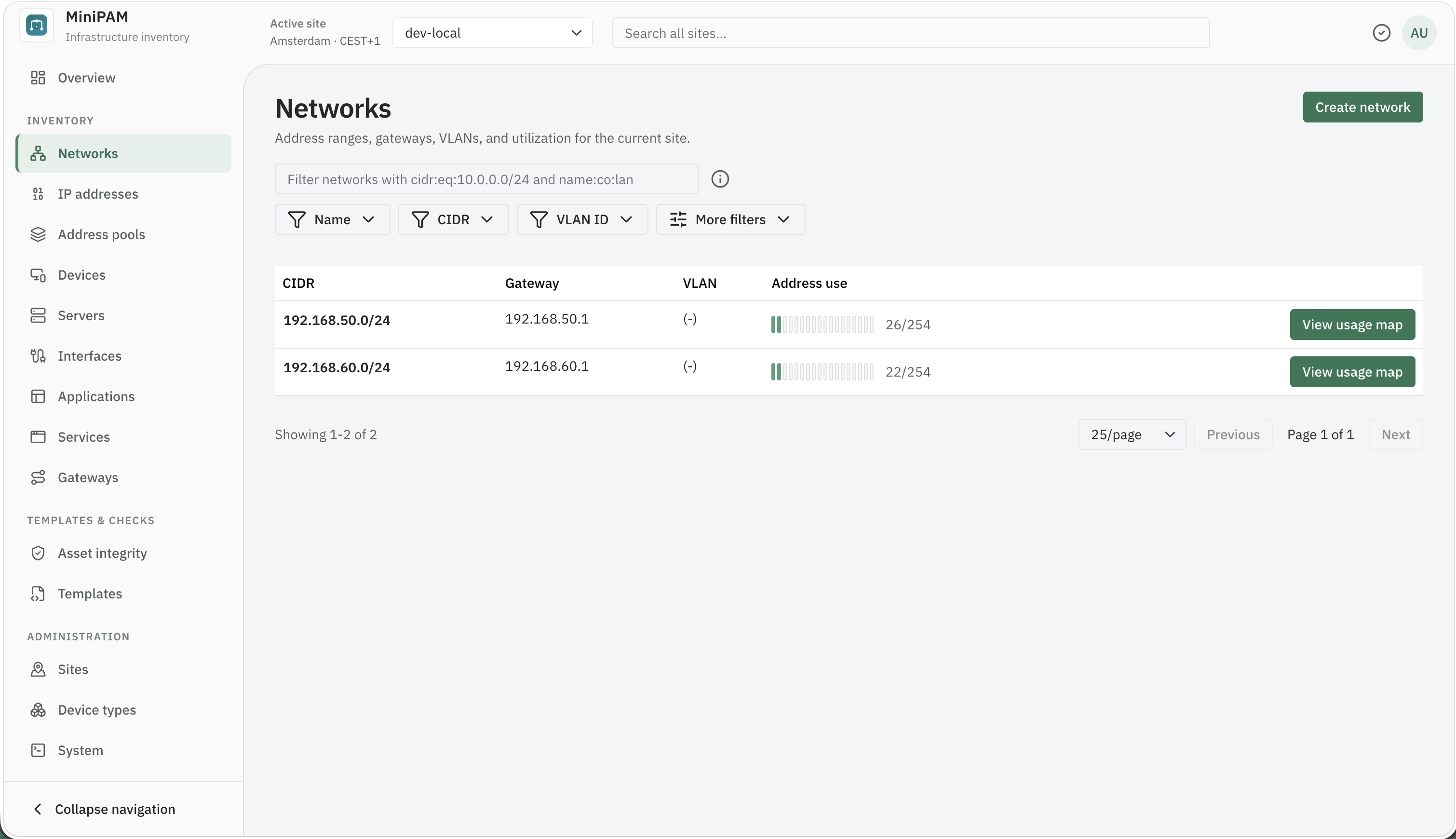
Open Inventory → Networks and create the network with its real CIDR, for example 192.168.1.0/24, and its
gateway. Add a VLAN only if it means something in your setup.
Then add pools for ranges with a purpose, such as DHCP clients or Infrastructure, under Address pools.
Add devices
Start with what everything else depends on: the router, a hypervisor, a NAS, or a switch. For each device:
- Create it under Inventory → Devices (or Servers for compute).
- Add an interface with its MAC address.
- Assign the device's IP address to that interface.
Devices and Servers are two views of the same inventory, so add each machine once. See Devices, servers, and interfaces.
Add a service
If you run something people use, such as Home Assistant or Grafana:
- Add an application on its device: the port and protocol it listens on.
- Add a service with the name people know it by, and attach the application.
See Applications, services, and gateways.
Check your work
Press Ctrl+K (⌘K on macOS) and search for a device name or an address. Open Inventory → IP addresses → Map and look at the network's address space. Fix anything ambiguous now; it is easier than later.
Next steps
- Back up the database before you add much more. All MiniPAM state is in one file.
- Decide how far to go: keep the inventory by hand, or add one of the other ways to use MiniPAM. For dynamic inventory, install an agent; for dynamic configuration, write a template.
- Add users for the people who work with you, each with the lowest role they need.