Server and agent architecture
The FastAPI server owns inventory, users, schedules, jobs, observations, and history. A Go agent initiates an authenticated outbound WebSocket connection to that same application and waits for work. It does not need an inbound listener.
The browser also talks to the same FastAPI app: REST for authoritative data and server-sent events (SSE) for live signals such as job-log changes.
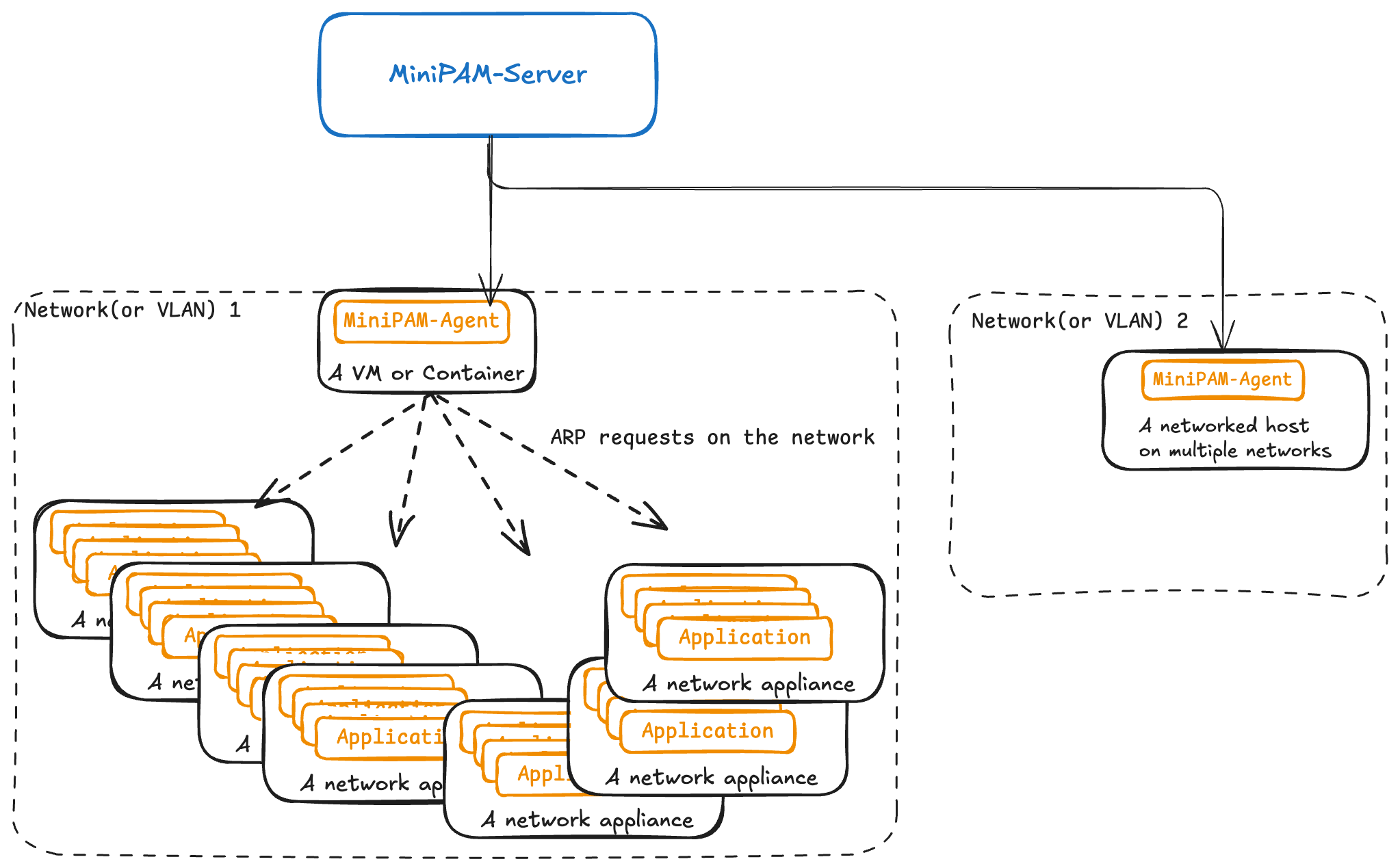
What happens on connection
The token selects an agent identity and site. The agent advertises a versioned capability list, including
whether each optional module is installed, enabled, and available. The server also requests netinfo. These
results are stored on the agent record, so the UI can offer work the connected agent actually supports instead
of assuming every host is identical.
Most requests are saved as jobs before they run. Results and logs stream back tagged with the request they belong to, and the server updates the job and records what was observed as they arrive. A disconnect therefore does not erase what was requested or received so far.
The agent protocol
The agent connects to /ws/agent and sends its token in the X-Agent-Api-Key header. An agent that
understands capability discovery also sends X-Agent-Capabilities-Protocol: 1. With a missing or unknown
token, the server closes the connection before accepting it, so the agent sees an HTTP 403.
Agent tokens are unique, and the database stores them as entered, not hashed. Treat them, and database backups, as secrets.
On a new connection, the server marks the agent online, asks for capabilities (only when the header above is
present) and netinfo, and from then on sends work. Every message in both directions has the same envelope:
{ "request_id": "3f6c…", "type": "netscan.request", "data": { "…": "…" } }
- Server to agent: one
*.requesttype per module, such asnetscan.request,ping.request,netscan.enrichment.request,port.probe.request,netinfo.request, andagent.capabilities.request. - Agent to server: results and packets for the request (
netscan.packet,ping.packet,ping.stats,netinfo.result,netscan.enrichment.host,port.probe.result,agent.capabilities.result, …),log.messagelines, andmessage.status. A status isPROCESSINGorCOMPLETED; aCOMPLETEDstatus with afail_reasonends the job as failed.
The agent pings the server every 5 seconds. A failed ping closes the connection, and the agent starts reconnecting; see An agent stopped reconnecting for the retry cycle.
Each token has one live connection. A second connection with the same token replaces the first, and only the newest one receives work. When the server starts, it marks every agent offline until it connects again.
Job lifecycle
- A job is created, as
pending. - If the agent is not connected, the job ends as
start_fail(Agent 'N' is not currently online.). There is no queue for offline agents. - Once the request is sent, the job is
running. The server remembers which request belongs to which job, in memory, per connection. - The agent's final
message.statusends it asfinished_ok,finished_fail, orfinished_partial(some results could not be stored). - If the connection drops first, every running job on it becomes
expired. Jobs are never resumed.
Jobs that were running when the server stopped stay running; the server does not expire them at startup.
Some short interactive requests are not stored as jobs at all. Their status is kept in memory for a short time
and sent as agent.request.* events. If the agent disconnects first, they end as failed.
The scheduler
Schedules run in APScheduler's asyncio scheduler, inside the server process. Its job store is a table in the
same SQLite file. It works in UTC, merges missed runs into one (coalesce), never runs one schedule twice at
the same time (max_instances: 1), and allows a run to start at most 1 second late. In practice, runs missed
while the server was down are skipped, not caught up.
The scheduler starts paused and resumes 30 seconds after the server starts.
Each scheduled run creates a server.scheduled job that records its result, except periodic network scans.
Those send one netscan per network, not stored as separate jobs, and record each run in one summary job per
day (server.network_check).
MiniPAM creates these system schedules:
| Handler | Does |
|---|---|
system.network_check.periodic_netscan | Periodic network scans by your agents |
system.discovery.process_dirty | Turns new discovery evidence into suggestions |
system.discovery.introspect_due | Scans devices whose evidence is due for a refresh |
system.agent.refresh_netinfo | Refreshes each agent's network information |
system.configuration_template.generate | Scheduled template generation |
system.configuration_template.inventory_change | Template and check runs after inventory changes |
system.oui.refresh | Refreshes the MAC vendor database |
system.timeseries.maintenance | Compacts usage history |
system.auth.cleanup_expired_sessions | Removes expired sign-in sessions |
Where state lives
MiniPAM runs as one server process. Several things live only in that process's memory, so do not run more than one server, or more than one worker, against the same database.
- SQLite (
database.db): inventory, discovery evidence, recommendations, Manual and Managed field controls, jobs and job logs, schedules and the scheduler's job store, users, sessions, API keys, and runtime settings. On start, a file lock next to the database lets only one process migrate it, and each upgrade runs in one exclusive transaction. - Memory: connected agents, request-to-job bindings, the status of short-lived requests, event subscribers, the recent log on the Logs page, and temporary log levels and exclusions.
- Log directory: optional log files (
api.log,agent.log,background.log) infiles.directory.
A restart clears everything in memory: agents reconnect, running jobs are not resumed, and browsers re-subscribe to events.
The trust boundary
An agent runs only its built-in modules, within limits set in its own configuration on the host. The server chooses which job to request, but cannot turn an agent into an unrestricted command runner. See Security.